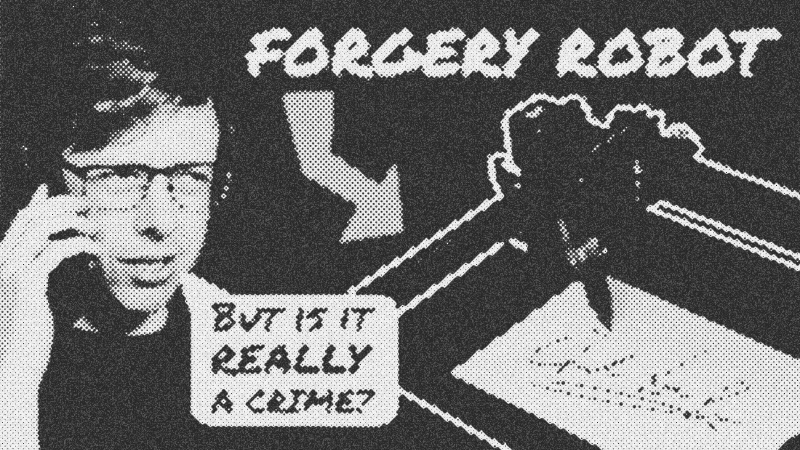
Forging Reality: Crafting Human-Like Handwriting with Machine Learning and Robotics

Overview: The Quest for Perfect Robot Forgery

Ever stare at a printed signature, eyes narrowed, knowing it’s a fake? That’s the feeling we’re tackling head-on. This project began with a simple, albeit ambitious, goal: automate handwritten greeting cards to be indistinguishable from human work. Forget the fancy specs sheet; it’s what you build with your own hands that truly screams performance. My initial attempts with simple fonts and even custom letter-by-letter assemblies fell flat. My wife, the ultimate handwriting expert in my household, busted those fakes instantly. It became clear: we needed a completely different approach. We needed

.

The core idea here is to ditch explicit rules and instead train a system to learn the nuances of human handwriting. We built a

to handle the physical cards, but the real magic, and the real headache, came from the software. The aim was to produce output so convincing that a
Ron Morris
couldn't tell the difference. This isn’t just about making a plotter move a pen; it’s about infusing that movement with the organic, sometimes messy, soul of human touch.

Prerequisites: Gearing Up for the Machine Learning Grind

Jumping into this kind of

project isn't like assembling a new graphics card; you need a few more pieces in your toolbox. First, a solid grasp of programming fundamentals, particularly in
Python
, forms your bedrock. Most of the heavy lifting in this domain happens there. Second, you want a basic understanding of
Machine Learning
principles: how models learn, make predictions, and adapt. Think of it as knowing how your CPU works before you start overclocking. Specifically, familiarity with
Neural Networks
, especially
Recurrent Neural Networks
(
Recurrent Neural Networks
) and their fancy cousins,
LSTM
, helps immensely. Lastly, a hearty dose of patience and a willingness to troubleshoot cryptic errors rounds out your toolkit. You’ll need it.

Forging Reality: Crafting Human-Like Handwriting with Machine Learning and Robotics
I sent robot forgeries to a handwriting expert

Key Libraries & Tools: The Digital Workbench

For a project like this, your digital workbench needs some serious power tools. Our mechanical setup used a

robot arm for card handling and a pen plotter for the actual writing. For the software side, the conceptual foundation rests on deep learning, particularly
Recurrent Neural Networks
. The real breakthrough, after much personal struggle, came from an existing open-source project. Here's what was critical:

  • Python
    :
    The go-to language for
    Machine Learning
    due to its extensive libraries and community support.
  • Recurrent Neural Networks
    (
    Recurrent Neural Networks
    ) /
    LSTM
    :
    The architectural backbone for sequential data processing, perfect for predicting stroke order and pen movements. The underlying theory draws heavily from
    Generating Sequences with Recurrent Neural Networks
    .
  • sjvasquez/handwriting-synthesis
    :
    A game-changer, this open-source repository on
    GitHub
    provided a robust, pre-built solution for generating human-like handwriting that far surpassed my initial attempts. Sometimes, standing on the shoulders of giants gets you to the moon faster than climbing successively taller trees.
  • Onshape
    :
    Though primarily a CAD platform for the physical robot parts, it's also where the design files for the custom suction gripper and vacuum plate were made, emphasizing the integration of hardware and software in such a build.

Code Walkthrough: Learning to Write Like a Human

Our journey to generate human-like handwriting hinges on a sophisticated

model. The approach involves two interconnected predictors working in tandem to produce fluid, natural-looking strokes:

The Predictive Core: Pen and Letter

  1. Pen Predictor: This part of the model takes the current state of what's been written—the shape, the last pen movement—and predicts the most likely next position for the pen. Imagine it as anticipating where a human hand would naturally go next.
  2. Letter Predictor: Running concurrently, this predictor analyzes the partially drawn stroke and guesses which letter it thinks is currently being formed. This provides context to the pen predictor.

The magic happens when these two work together. The letter predictor acts as a guide, telling the pen predictor, "Hey, we're drawing a 'B' here, keep those strokes in line!" This allows the model to connect letters organically, a feat impossible with simple cut-and-paste font methods. It creates that subtle flow and variation that screams human.

The Training Process: Tuning the Knobs

Think of our predictive model as an incredibly complex instrument, covered in thousands of tiny knobs. Each knob subtly tweaks how it makes a prediction. Our goal is to get these knobs turned just right so the output looks like real handwriting. We achieve this through a process called training:

  1. Data Input: We feed the model actual examples of human handwriting, collected by me writing out endless lines—just like being grounded as a kid, but for science!
  2. Initial Garbage: With randomly set knobs, the model's first attempts at generating handwriting are usually total garbage. We call this the initial "garbage-acity."
  3. Error Calculation: We compare the model's garbage output to the real handwriting examples. The difference tells us exactly how much "garbage" we have.
  4. Knob Adjustment (Gradient Descent): The critical step. We adjust each knob incrementally, observing how it changes the "garbage-acity." If a tweak reduces the garbage, we know which way to turn it. We do this for all knobs, making tiny improvements.
  5. Iteration and Convergence: We repeat this process with thousands, even millions, of handwriting samples. With each iteration, the model gets a little less garbage, converging towards an optimal setting where its predictions closely match human handwriting. The stunning part? Once trained, it can generate words it’s never seen before, still retaining that human touch.

Leveraging
sjvasquez/handwriting-synthesis

My personal implementation attempts ran into walls. That's when you do the pragmatic thing: find a pro.

open-source repository on
GitHub
provided a pre-trained model and code, saving a ton of pain. This is how you'd typically interact with such a library:

import handwriting_synthesis as hws

# Load a pre-trained model (weights and configuration)
# This model has already learned from vast amounts of handwriting data
model = hws.load_pretrained_model('path/to/model_checkpoint.pth')

# Define the text you want the robot to write
text_to_generate = "Greetings from the workshop!"

# Optional: Specify a 'style' vector for variation.
# This can mimic a specific handwriting style or introduce randomness.
# If you have examples of your own handwriting, you can extract a style from them.
style_vector = hws.generate_random_style()

# Generate the pen strokes (x, y coordinates and pen up/down commands)
# The 'temperature' parameter controls creativity (more random = higher temperature)
strokes = model.generate_strokes(text_to_generate, style=style_vector, temperature=0.7)

# Convert these strokes into a format your plotter robot understands (e.g., G-code)
plotter_commands = hws.convert_to_gcode(strokes)

# Send the commands to your robot!
# This step depends entirely on your robot's control interface.
send_to_robot_controller(plotter_commands)

print("Robot is writing: " + text_to_generate)

Syntax Notes: The Language of Learning

The code presented here is largely

-esque pseudo-code, but it highlights common patterns when working with
Machine Learning
libraries. You'll see import statements bringing in external modules, making complex functionalities readily available without reinventing the wheel. Functions and methods, like load_pretrained_model() or generate_strokes(), encapsulate intricate processes, allowing you to interact with powerful models through simple, intuitive calls. Notice how objects, like the model itself, store state and allow you to perform actions on them. This object-oriented approach is a staple in most modern
Machine Learning
frameworks, abstracting away the deep mathematical complexities into manageable components.

Practical Examples: Beyond Greeting Cards

While automating

was our initial driver, the applications for truly convincing robot handwriting stretch far wider. Imagine:

  • Personalized Mass Mailings: Businesses could send out direct mail that feels genuinely personal, increasing engagement. Goodbye, generic printouts.
  • Historical Document Reproduction: Digitally archiving and reproducing old texts with period-accurate handwriting styles, complete with organic variations.
  • Unique Font Creation: Training a model on your own handwriting could generate a dynamic font that truly captures your style, rather than a static digital representation.
  • Artistic Installations: Robots creating unique, never-repeating handwritten art pieces. Talk about bringing a machine to life!

Tips & Gotchas: Navigating the AI Minefield

Building this kind of system isn't without its quirks. Here's what you need to know:

  • Data Quality is Everything: The model only learns from what you feed it. If your training data is inconsistent or poor quality, your output will be too. "Garbage in, garbage out" isn't just a saying; it’s a law of the land in
    Machine Learning
    .
  • Training Takes Time and Power:
    Neural Networks
    , especially
    Recurrent Neural Networks
    , demand significant computational resources and time to train. My initial attempts felt like watching paint dry, then getting ugly paint. Be prepared for slow iterations.
  • Debugging is an Art, Not a Science: Unlike traditional code where an error points to a specific line,
    Machine Learning
    bugs often manifest as subtle, incorrect outputs. Finding the root cause requires a different kind of detective work, often involving data analysis and model architecture tweaks. It's not a great problem to iterate on rapidly.
  • Embrace Open Source: Don't be afraid to use existing, well-developed solutions. My project only truly succeeded after I put aside my pride and adopted
    sjvasquez/handwriting-synthesis
    . It's pragmatic, and it saves a ton of headache.
  • Ethical Considerations: If you’re building something that can convincingly forge human handwriting, think about its potential misuse. I decided upfront to make it clear that my cards were robot-written. With great power comes great responsibility, even in the workshop.
Forging Reality: Crafting Human-Like Handwriting with Machine Learning and Robotics

Fancy watching it?

Watch the full video and context

9 min read