Build Your First CLI App with Laravel Prompts
Overview
Command-line tools often feel rigid and unforgiving, but they don't have to. Laravel Prompts changes the game by bringing browser-like interactivity to the terminal. Instead of wrestling with complex SQL queries or manual PHP artisan tinker sessions for repetitive tasks, you can build elegant, validated interfaces. This tutorial demonstrates how to create a CLI tool to manage user data, specifically searching for users and deleting their archived posts with a modern UI.
Prerequisites
To follow along, you should be comfortable with PHP and the Laravel framework. You will need a working Laravel project with a database populated with users and posts. Familiarity with Composer for package management and Artisan commands is essential.
Key Libraries & Tools
- Laravel Prompts: The primary package used to create interactive terminal forms.
- PHP Artisan: Laravel's built-in command-line interface for generating code and running tasks.
- Eloquent ORM: Used for querying the database and handling model relationships.
Code Walkthrough
First, install the prompts package via Composer:
composer require laravel/prompts
Generate your command using Artisan:
php artisan make:command DeleteArchivedPosts
Interactive User Search
Inside the handle method, we use the search function to find users. This provides an autocomplete experience that is far superior to typing raw IDs.
$userId = search(
    label: 'Search for the user to delete posts from',
    options: fn (string $value) => User::where('name', 'like', "%{$value}%")
        ->pluck('name', 'id')
        ->all()
);

$user = User::find($userId);
Multi-Select and Validation
We can validate that a user actually has posts before proceeding. If they do, the multiselect prompt allows us to cherry-pick specific records.
$postsToDelete = multiselect(
    label: 'Select the posts to delete',
    options: $user->posts()->where('is_archived', true)->pluck('title', 'id'),
    default: $user->posts()->where('is_archived', true)->pluck('id')
);
Handling Background Tasks with Spinners
For long-running processes like bulk deletions or sending emails, the spin function keeps the user informed with a visual loading state.
spin(
    fn () => $user->posts()->whereIn('id', $postsToDelete)->delete(),
    'Deleting posts...'
);
Syntax Notes
Laravel Prompts utilizes functional wrappers around terminal I/O. Note how the search function accepts a closure for the options parameter, enabling real-time database filtering as the user types. The pluck method is frequently used here to map database results into the [value => label] format required by the prompts.
Practical Examples
Beyond deleting posts, this technique excels at:
- User Impersonation: Finding a user and generating a temporary login URL.
- Resource Cleaning: Identifying and removing orphaned files or old log entries.
- Onboarding Scripts: Setting up local environment configurations via interactive questions.
Tips & Gotchas
Always ensure your search results return an associative array where the key is the unique identifier (like an ID) and the value is the display name. If you encounter an "Array to string conversion" error, double-check that you aren't trying to echo a collection returned by multiselect. Finally, wrap expensive operations in the spin function to prevent the terminal from looking frozen during execution.
- Artisan
- 20%· products
- Composer
- 20%· products
- Laravel Prompts
- 20%· products
- Laravel
- 10%· products
- PHP
- 10%· products
- Other topics
- 20%
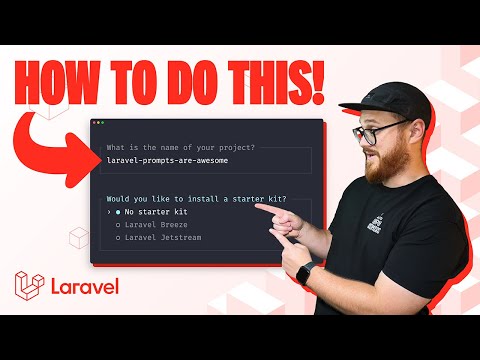
Build Your First CLI App with Laravel Prompts
WatchLaravel // 14:48

The official YouTube channel of Laravel, the clean stack for Artisans and agents. We will update you on what's new in the world of Laravel, from the framework to our products Cloud, Forge, and Nightwatch.