The Laravel 2025 Ecosystem Evolution: A Comprehensive Guide to New Tools and Best Practices
Overview: The Full-Stack Transformation
Modern software development demands more than just a language or a library; it requires a cohesive ecosystem that eliminates friction between the backend, frontend, and infrastructure. The 2025 updates to the Laravel ecosystem represent a monumental shift in how developers build, deploy, and monitor PHP applications. From the introduction of Laravel Cloud and Laravel VPS to the AI-powered intelligence of Laravel Boost, the framework is moving toward a future of "zero-configuration" production-readiness.
This tutorial breaks down the newest features, highlighting why they matter for your workflow. We'll explore how to bridge the gap between PHP and TypeScript using Laravel Wayfinder, how to eliminate the N+1 query problem with automatic eager loading, and how to utilize the new integrated terminal within Laravel Forge for collaborative debugging. These aren't just incremental updates; they are a redefinition of developer productivity.
Prerequisites
To follow along with these examples, you should have a solid grasp of the following:
- PHP 8.2+: Understanding attributes, interfaces, and modern syntax is essential.
- Laravel Basics: Familiarity with Service Providers, Eloquent models, and routing.
- Frontend Fundamentals: Basic knowledge of Inertia.js, Vue.js, or React.
- Infrastructure Concepts: A general understanding of VPS hosting, SSH, and deployments.
Key Libraries & Tools
- Laravel Wayfinder: A powerhouse package that analyzes routes to generate end-to-end TypeScript safety.
- Laravel Boost: A composer package providing Model Context Protocol (MCP) tools for AI agents like Cursor.
- Laravel Nightwatch: A monitoring and observability tool obsessively optimized for the framework.
- Laravel Reverb: A high-performance WebSocket server, now fully managed on the cloud.
- Laravel Ranger: The underlying engine for scanning applications to extract DTOs and schemas.
Code Walkthrough: Modern Framework Enhancements
Attribute-Based Container Bindings
Traditionally, you would bind an interface to an implementation in the AppServiceProvider. This often led to bloated provider files. The new #[Bind] attribute allows you to define this relationship directly on the interface.
# In app/Interfaces/PaymentProcessor.php
use Illuminate\Container\Attributes\Bind;
use App\Services\StripeProcessor;
use App\Services\FakeProcessor;

#[Bind(StripeProcessor::class)]
#[Bind(FakeProcessor::class, env: 'local')]
interface PaymentProcessor
{
    public function charge(int $amount);
}
In this snippet, we use environment-specific attributes. When the app runs in local, the container automatically resolves the FakeProcessor. This keeps the context of the binding right where the interface lives, reducing the mental leap between files.
Just-In-Time Eager Loading
The N+1 query problem is the most common performance bottleneck in Laravel. While we typically use the with() method, we can now enable automatic eager loading in our bootstrap process.
# In a ServiceProvider or bootstrap/app.php
use Illuminate\Database\Eloquent\Model;

Model::automaticallyEagerLoadRelations();
When this is active, if you access a relationship (like $post->comments) inside a loop, Laravel detects the pattern and eager loads the comments for the entire collection in a single query. It functions as a safety net, preventing accidental performance degradation in production.
Fluent URI Manipulation
Building complex URLs with query strings and fragments by hand is fragile. The new Uri object provides a fluent API for these manipulations.
use Illuminate\Support\Facades\Uri;

$url = Uri::of('https://laravel.com')
    ->path('docs')
    ->query(['search' => 'eloquent'])
    ->fragment('eager-loading')
    ->toString();
This method is particularly useful when you need to redirect users to a URL that requires dynamic query parameters based on current state.
Closing the Type-Safety Gap with Wayfinder
One of the most exciting shifts in the ecosystem is the introduction of Laravel Wayfinder. For years, developers have manually mirrored PHP models in TypeScript. Wayfinder automates this by treating the server as the single source of truth.
Integrating Server Routes in Frontend
Instead of hardcoding strings in your Inertia.js components, you can import the controller method directly. Wayfinder generates a TypeScript object containing the URL and HTTP verb.
// In a Vue component
import { store } from '@/Wayfinder/Controllers/Auth/LoginController';
import { useForm } from '@inertiajs/vue3';

const form = useForm({
    email: '',
    password: '',
});

const submit = () => {
    // Wayfinder provides the .url and .method automatically
    form.submit(store.method, store.url);
};
If you change the route from POST /login to PUT /auth/login in your PHP routes file, the TypeScript build will immediately reflect that change. This prevents "magic string" bugs where the frontend attempts to hit a backend endpoint that no longer exists.
Deploying to the Future: Forge & Cloud
Infrastructure is the final piece of the puzzle. The 2025 updates focus on speed and managed services.
Laravel VPS and 10-Second Provisioning
Traditionally, setting up a server through Laravel Forge involved a 10-15 minute wait for software installation. Laravel VPS eliminates this by offering pre-baked images. When you provision a server, it is ready for deployment in under 10 seconds.
Zero-Downtime Deployments by Default
Forge now includes internal functions to handle releases. You no longer need third-party tools like Envoyer for basic zero-downtime workflows. The new deployment script uses create_release() and activate_release() to symlink the new code only after migrations and builds are successful.
# Standard Forge Deployment Script Snippet
create_release

composer install --no-interaction --prefer-dist --optimize-autoloader
php artisan migrate --force
npm install && npm run build

activate_release
purge_old_releases
Cloud Preview Environments
Laravel Cloud now offers automation that creates a completely isolated environment for every Pull Request. These environments can include their own database clusters and Laravel Reverb instances, allowing QA teams to test features in a production-identical setup without touching the main staging branch.
Syntax Notes & Best Practices
- Avoid Magic Strings: Use Wayfinder for routes and Laravel Boost to maintain version-specific AI guidelines.
- Prefer Managed WebSockets: With Laravel Reverb now managed on Cloud, avoid the overhead of self-hosting a Node.js socket server.
- Health Checks: Always enable the new Forge health checks. They ping your site from multiple global locations immediately after a deployment to ensure the new release didn't break the landing page.
Practical Examples
- SaaS Rapid Prototyping: Use the "Starter Kit" flow in Laravel Cloud to deploy a full-stack Livewire app with a database and custom domain in under two minutes.
- Collaborative Debugging: Use the new Forge Integrated Terminal's collaboration feature. You can share a secure terminal session with a teammate to debug a production issue in real-time, appearing like a pair-programming session inside the browser.
- AI-Assisted Testing: Use Laravel Boost to feed your AI agent the exact version of the Laravel documentation. This ensures that the code it generates uses the newest features (like Laravel 11's
perSecondrate limiting) rather than outdated patterns.
Tips & Gotchas
- Cache Memoization: When using the new
memo()function on the cache, remember that it only persists for the duration of that specific request. It is perfect for optimizing repetitive lookups within a single lifecycle. - N+1 Safety: Automatic eager loading is incredibly powerful, but if you have a massive dataset, you should still manually use
select()to limit columns and maintain database performance. - Environment Variables: When using Laravel Cloud, take advantage of "Injected Environment Variables." The platform automatically handles credentials for your database and cache, so you don't have to manually manage secret keys in your
.envfile for these resources.
- Laravel Boost
- 10%· products
- Laravel Cloud
- 10%· products
- Laravel Reverb
- 8%· products
- Laravel Wayfinder
- 8%· products
- TypeScript
- 8%· products
- Other topics
- 57%
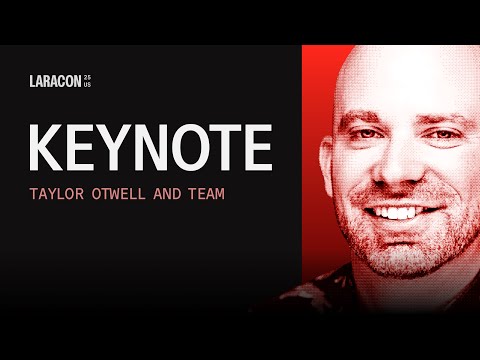
Introducing Laravel VPS & Major Updates to Forge | Laracon Keynote 2025 (Taylor Otwell & Team)
WatchLaravel // 2:22:41

The official YouTube channel of Laravel, the clean stack for Artisans and agents. We will update you on what's new in the world of Laravel, from the framework to our products Cloud, Forge, and Nightwatch.