Automating Eloquent Observers with Custom Stubs in Laravel
Overview
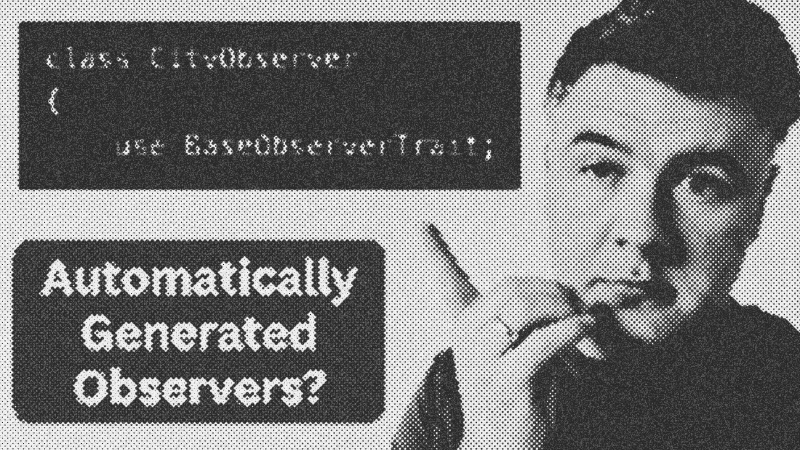
Standard Laravel Eloquent Observers often feel repetitive. Developers frequently find themselves writing the same notification or logging logic across dozens of models. This guide explores a highly efficient refactoring pattern that uses custom Artisan commands and framework stubs to generate boilerplate-free observers automatically. By shifting logic into traits and templates, you can maintain a consistent audit log or notification system without manual coding.
Prerequisites
To implement this pattern, you should be comfortable with PHP and the Laravel framework. You need a basic understanding of Eloquent model events (created, updated, deleted) and how Artisan CLI commands interact with the file system.
Key Libraries & Tools
- Laravel Framework: The core environment providing the Eloquent ORM.
- Artisan CLI: Used for generating code and publishing framework templates.
- PHP File System: Utilized by custom commands to iterate through model directories.
Code Walkthrough
Step 1: Create the Base Notification Trait
Instead of defining notification logic in every observer, move it to a shared trait. This keeps your observers slim.
trait SendsNotifications
{
    public function sendSuccessNotification($model, $action)
    {
        // Logic to send database notification
    }

    public function sendDangerNotification($model, $action)
    {
        // Logic for deletions or errors
    }
}
Step 2: Customizing the Observer Stub
Run php artisan stub:publish to bring Laravel's internal templates into your stubs/ directory. Modify observer.stub to include your trait and default methods.
namespace {{ namespace }};

use {{ namespacedModel }};
use App\Traits\SendsNotifications;

class {{ class }}
{
    use SendsNotifications;

    public function created({{ model }} ${{ modelVariable }})
    {
        $this->sendSuccessNotification(${{ modelVariable }}, 'created');
    }
}
Step 3: The Bulk Generation Command
A custom Artisan command can automate the creation for all models in your app.
public function handle()
{
    $models = File::allFiles(app_path('Models'));

    foreach ($models as $file) {
        $modelName = $file->getFilenameWithoutExtension();
        $this->call('make:observer', [
            'name' => "{$modelName}Observer",
            '--model' => $modelName
        ]);
    }
}
Syntax Notes
Laravel uses mustache-style placeholders like {{ model }} in its stubs. When you run a make command, the framework's generator replaces these with the actual class names you provide in the terminal. This allows for dynamic code generation while maintaining strict typing.
Practical Examples
This approach shines in large-scale applications requiring a robust activity log or audit trail. Instead of installing heavy packages, you generate lightweight observers that trigger database notifications every time a record changes. It ensures every new model added to the system is automatically tracked without additional developer effort.
Tips & Gotchas
Watch out for infinite loops. If your observer saves data back to the same model it is observing, it will trigger itself again. Always use the saveQuietly() method if you need to update the model instance within the observer logic to prevent recursive crashes.
- Laravel
- 36%· products
- Artisan
- 27%· products
- Eloquent
- 18%· products
- Eloquent Observers
- 9%· products
- PHP
- 9%· languages
Laravel "Global" Eloquent Observers: Interesting Code Example
WatchLaravel Daily // 3:27
