Webflow vs. Wix Studio: Choosing the Right Engine for Your Web Stack
The Duel of Visual Development Platforms
Choosing between Webflow and Wix Studio isn't just about picking a tool; it's about selecting a development philosophy. While both platforms promise high-end results without manual syntax, they approach the canvas from opposite ends of the spectrum. Webflow operates as a visual wrapper for CSS and HTML, requiring a developer's mental model to master. Wix Studio, conversely, leans into a free-form, Figma-like experience that prioritizes speed and visual intuition.
Structural Integrity vs. Visual Freedom
Webflow demands that you respect the box model. You don't just drag an image; you nest it within a div, apply a class, and manage its display properties via flexbox or grid. This methodical approach ensures clean code under the hood, making it the gold standard for developers who want absolute control over the DOM. If you understand parent-child relationships in code, Webflow feels like home.
Wix Studio breaks these rigid boundaries. It allows for pixel-perfect placement where elements land exactly where the cursor drops them. This "visual first" strategy drastically reduces the time to market for creative agencies. While the inspector panel remains available for fine-tuning, the platform's ability to group and dock elements through a drag-and-drop interface bypasses the steep learning curve of traditional styling.
Responsive Automation and AI Tools
Responsive design usually serves as the ultimate bottleneck in web projects. Webflow follows a classic cascading logic: changes on desktop trickle down to mobile, but local overrides stay local. It's precise but manual. Wix Studio attempts to solve this via a Responsive AI tool. By clicking a single button, the platform analyzes the section and automatically optimizes the layout for tablet and mobile viewports. For agencies managing high-volume projects, this automation is a massive efficiency gain.
The Verdict for Developers
If you live in the world of JavaScript and npm packages, Wix Studio offers surprising depth through its Dev Mode. It provides a full IDE environment, including GitHub integration and backend capabilities via Velo. Webflow remains the champion for front-end purists who want their visual editor to mirror the structural reality of professional-grade code. Wix Studio, however, wins on raw speed and integrated business tools like built-in CRM and blogging engines.
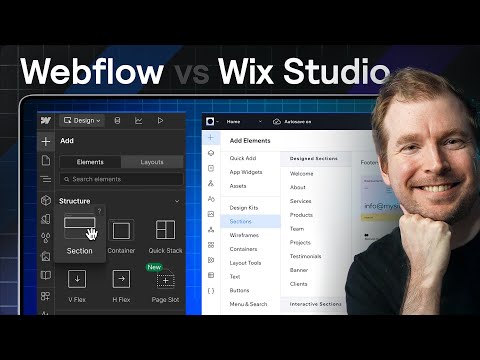
Webflow vs Wix Studio: Which is Better for Designers and Agencies?
WatchCodex Community // 14:42

Codex is my second channel dedicated to the future of development and design for websites using artificial intelligence, web design, UI, UX, AI. Including the use of AI, tools like ChatGPT and Claude, Kimi, with the use of code and no-code and ai agent platforms as they are becoming relevant for future jobs and knowledge. I am Adrian Twarog who has been creating youtube videos since 2020!