Big Clive bridges solar light corrosion with custom OpenSCAD adapters
Overview of Solar Hardware Modification
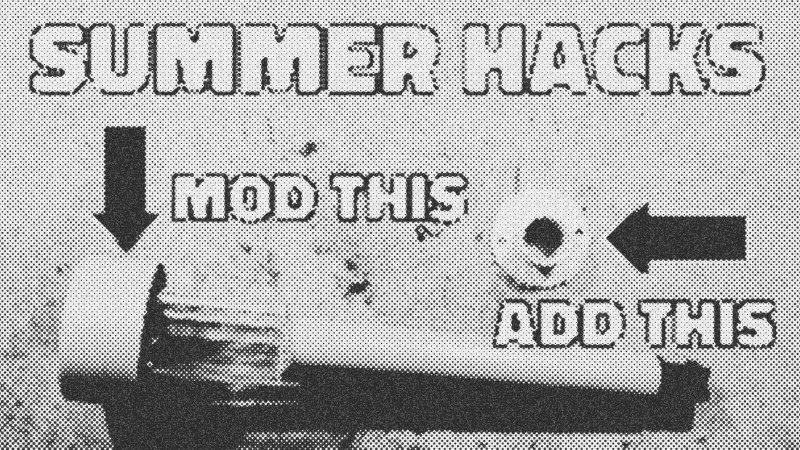
Cheap solar garden lights often fail because they aren't built for wet climates. This guide explains how to revitalize Poundland solar lights by swapping stock LEDs for high-visibility Ice Blue variants and reinforcing them against moisture. More importantly, it demonstrates how to use programmatic CAD to generate custom mounting hardware, ensuring your lights stay aimed at the sun rather than blowing across the yard. This approach transforms a disposable consumer product into a robust, tailored lighting system.
Prerequisites and Hardware Tools
To follow this build, you should be comfortable with basic soldering and have access to a 3D printer. You will need a soldering iron, leaded solder, desoldering wick, and liquid flux. For the 3D printing portion, familiarity with OpenSCAD is helpful but not mandatory, as we will use the Customizer feature to adjust parameters without rewriting the core logic.
Key Libraries and Tools
- OpenSCAD: A script-based 3D modeler that uses code to define geometry.
- Slicer Software: (e.g., Cura or PrusaSlicer) to convert STL files into G-code for your printer.
- Digital Calipers: Essential for measuring the diameter of your solar light posts.
Code Walkthrough: The Vertical Mounting Script
This OpenSCAD script generates a custom adapter base. The logic uses difference() to subtract hollow areas and screw holes from a solid union() of the base and collar.
// Solar light post top base
dia=18; // diameter of solar insert
depth=16; // depth of collar
screw=3.5; // screw hole diameter
$fn=100; // circle facets for smoothness
difference(){ union(){ cylinder(h=2,d=dia+22); // The flat base plate cylinder(h=depth,d=dia+2); // The vertical collar translate([0,0,2]) // Adds a reinforcing fillet cylinder(h=2,d1=dia+6,d2=dia+2); } translate([0,0,-1]) cylinder(h=depth+2,d=dia); // Hollows the center
// Screw hole subtraction translate([-((dia /2)+7),0,-1]) cylinder(h=4,d=screw); translate([(dia/2)+7,0,-1]) cylinder(h=4,d=screw); }
## Syntax Notes and Practical Examples
The `$fn` variable controls the resolution of your cylinders; 100 is a sweet spot for smooth curves without slowing down the render. The `difference()` function is the workhorse here—it takes the first object and subtracts all subsequent objects from it. This is perfect for creating precisely sized screw holes and hollow inserts. Beyond garden lights, you can scale the `dia` and `depth` variables to create custom pen holders or tool mounts.

## Tips and Hardware Gotchas
When modifying the electronics, the internal switch is your biggest enemy. It will inevitably rust. Bridge the contacts with solder to keep the light permanently "on." To prevent corrosion on the circuit board, apply a layer of [Vaseline](entity://products/Vaseline) or spray-on lacquer. When 3D printing the bases, measure your light's diameter twice; 18mm is standard, but some variations exist. If your light is too loose, use a decimal like 18.5 in the script for a snugger fit.
- OpenSCAD
- 33%· products
- Big Clive
- 17%· people
- Poundland
- 17%· companies
- Silverline solder
- 17%· products
- Vaseline
- 17%· products
Hacking your Poundland solar garden lights (with 3D scripts)
Watchbigclivedotcom // 13:35

The trashiest electronic channel on YouTube. We test and use affordable electronic soldering equipment and tools to build, teardown, modify (and sometimes destroy) random electronic stuff. A British TV licence is NOT required to view my videos or almost every other video on YouTube. Many of the builds and projects featured here operate at full mains voltage and carry a high risk of shock and fire. As such they're really intended for either entertainment value or for those who do similar stuff. The videos are generally uncensored and may contain tasteless jokes, profanities and even blood and electric shocks when things go wrong. So just like a normal workshop really. So kick back, grab a beer and enjoy the ride.