Fixing Bugs with AI Agents: Why Reproduction is Your First Step
Overview
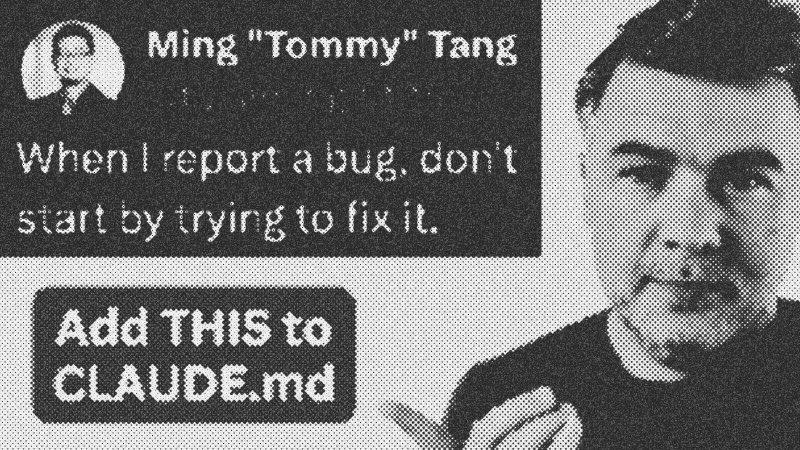
Fixing a production bug involves more than just writing new code. The real challenge lies in reproduction. If you cannot replicate the failure, you cannot guarantee the fix works for the specific scenario reported by the user. By integrating Test-Driven Development (TDD) principles into AI agent workflows, we move from "guessing and checking" to verified engineering. This tutorial explores how to configure agents like Claude MD to follow a strict reproduce-first protocol.
Prerequisites
To follow this guide, you should understand:
- Basic PHP/Laravel: The examples use the Laravel framework.
- Testing Fundamentals: Familiarity with unit and integration tests.
- AI Agents: Understanding how tools like Claude interact with local codebases.
Key Libraries & Tools
- Claude MD / CodeX: Developer-centric AI agents that can read, write, and execute terminal commands within your project.
- Pest PHP: A graceful testing framework for Laravel used here to run regression tests.
- Claude 3.5 Sonnet / Opus: The underlying LLMs that power the logic of the code exploration and fix generation.
Code Walkthrough: The Fail-First Workflow
Step 1: The Failing Test
Instead of letting the AI jump straight to a fix, we instruct it to write a test that fails against the current buggy codebase. For a project bulk update missing a permission check, the test should attempt to update a project belonging to a different user.
// Example failing test generated by the agent
it('prevents updating projects that do not belong to the user', function () {
    $user = User::factory()->create();
    $otherUser = User::factory()->create();
    $project = Project::factory()->create(['user_id' => $otherUser->id]);

    $response = $this->actingAs($user)->patch("/projects/{$project->id}", [
        'name' => 'Hacked Name'
    ]);

    $response->assertStatus(403);
});
Step 2: Verification of Failure
The agent executes this test. Seeing the test return a 200 OK or 500 Error instead of the expected 403 Forbidden confirms the bug is reproducible.
Step 3: The Fix and Verification
Once reproduced, the agent applies the fix—likely a simple ownership check in the controller—and reruns the same test. A passing result now provides a true regression suite.
Syntax Notes
When configuring Claude MD, your guidelines.md or prompt must be explicit. Use active instructions: "Investigate the codebase, then write a failing test first." Avoid vague requests like "Use sub-agents," as these often lead to complexity without clarity in the merge process.
Tips & Gotchas
- Trust but Verify: AI-generated tests can sometimes have logic errors. Always review the test assertions to ensure they match the real-world bug.
- Model Choice: While GPT-4o and Opus handle test generation well, cheaper models like Sonnet may skip the testing phase unless your instructions are strictly enforced in the system prompt.
Fixing Bugs with AI Agents: "The Right Way"
WatchAI Coding Daily // 5:58

This channel is not for vibe-coders. It's for professional devs who want to use AI as powerful assistant, while still keeping the control of their codebase. My name is Povilas Korop, and I'm passionate about coding with AI. So I started this THIRD YouTube channel, in addition to my other ones Laravel Daily and Filament Daily. You will see a lot of my experiments with AI: I will try new things and share my discoveries along the way.