Demystifying Python's `if __name__ == "__main__":` The Gateway to Modular Code
The Power of Conditional Execution: Understanding if __name__ == "__main__":
One of the most foundational and frequently encountered idioms in Python programming is the if __name__ == "__main__": block. This construct plays a pivotal role in how Python scripts behave, allowing developers to differentiate between a script being run directly from the command line and being imported as a module into another script. Understanding this distinction is crucial for writing robust, reusable, and well-structured Python applications, preventing unintended side effects and fostering a clear separation of concerns within your codebase.
At its core, this conditional statement gives you precise control over which parts of your code execute under specific circumstances. Imagine you've written a module that contains various functions, but also includes some test code or setup routines that are only relevant when that module is the primary focus of execution. Without if __name__ == "__main__":, every time another part of your application imports your module, that test or setup code would run, potentially causing errors or simply cluttering the output. This idiom acts as a gatekeeper, ensuring that only code intended for direct execution gets to run in that context.
Essential Foundations for Your Journey
To fully grasp the implications of if __name__ == "__main__":, a solid understanding of a few core Python concepts is beneficial:
- Basic Python Syntax: Familiarity with variables, functions, and control flow (like
if/elsestatements). - Modules and Imports: Knowing how to define functions and classes in one Python file (a module) and then bring them into another file using the
importstatement. - Command Line Execution: Understanding how to run a Python script directly from your terminal.
The Python Interpreter: Your Primary Tool
The if __name__ == "__main__": idiom is not tied to any external libraries or frameworks; it is an intrinsic feature of the Python interpreter itself. This means you only need a working Python installation on your system to experiment with and implement this concept. It's a testament to the language's design philosophy that such a powerful control mechanism is built right into its core.
A Practical Demonstration: Code in Action
Let's walk through an example to see this concept in practice. We'll create two Python files: calculator.py, which contains a simple function and our special if block, and program.py, which will import calculator.py.
First, consider calculator.py:
# calculator.py

def add(a, b):
    """Returns the sum of two numbers."""
    return a + b

def subtract(a, b):
    """Returns the difference between two numbers."""
    return a - b

if __name__ == "__main__":
    print("Running calculator.py directly!")
    result_add = add(5, 3)
    print(f"5 + 3 = {result_add}")
    result_sub = subtract(10, 4)
    print(f"10 - 4 = {result_sub}")
    # This block usually contains code for testing or demonstrating the module's functionality.
When you execute python calculator.py from your terminal, you will see the output from within the if __name__ == "__main__": block, because in this scenario, __name__ is indeed equal to "__main__".
Now, let's create program.py:
# program.py

import calculator

print("Running program.py, importing calculator.py...")

# We can now use functions from the calculator module
sum_val = calculator.add(7, 2)
print(f"Sum from imported module: {sum_val}")

diff_val = calculator.subtract(15, 6)
print(f"Difference from imported module: {diff_val}")

print("Finished running program.py.")
If you run python program.py, notice what happens: The print statements and function calls within calculator.py's if __name__ == "__main__": block are not executed. The Python interpreter recognizes that calculator.py is being imported as a module, not run directly, so __name__ inside calculator.py will be "calculator" (its module name), not "__main__". Only the functions add and subtract are accessible and used by program.py.
Diving into the Syntax: __name__ and __main__
The magic behind this idiom lies in Python's special built-in variable, __name__. This variable is automatically set by the Python interpreter for every module. Its value changes depending on how the module is being used:
- If the Python interpreter is running a script as the main program, it sets the
__name__variable for that script to the string"__main__"(double underscores on both sides, often referred to as 'dunder main'). - If the script is being imported as a module into another script, the
__name__variable for the imported module is set to the module's actual name (e.g.,"calculator"in our example). This allows modules to know if they are the primary execution point or merely a helper library.
This behavior is fundamental to Python's module system and is a key feature to leverage for well-organized code.
Real-World Applications
This conditional block is not just an academic exercise; it has numerous practical applications in everyday Python development:
- Command-Line Interface (CLI) Tools: Many standalone scripts designed for direct execution from the terminal use this block to parse command-line arguments and kick off their main logic.
- Module Self-Testing: Developers often include unit tests or simple demonstration code within this block. This allows users to run the module directly to see examples of its functionality or verify its integrity without needing a separate test suite.
- Initial Setup/Configuration: For scripts that require specific setup routines, such as initializing a database connection or loading configuration files that are only relevant when the script is run independently, this block is the ideal place.
- Preventing Side Effects: It ensures that code which might perform actions like writing to files, making network requests, or altering global state, only runs when explicitly desired, avoiding unintended behavior when the module is imported.
Best Practices and Common Pitfalls
Embracing the if __name__ == "__main__": convention is a mark of good Python practice. It leads to more maintainable and robust codebases. Here are some tips and common considerations:
- Keep it Lean: The code within the
if __name__ == "__main__":block should ideally be concise, primarily focusing on calling functions defined elsewhere in the module or in helper functions. This maintains clarity and testability. - Interview Standard: Be prepared to explain this concept in Python job interviews. It's a common question used to gauge a candidate's understanding of Python's module system.
- What Not to Include: Avoid placing global variables or function definitions directly within this block if they are meant to be accessible when the module is imported. Only execution logic belongs here.
- Always Executing Code: If there's code you always want to run, regardless of whether the module is imported or executed directly (e.g., setting up logging, defining global constants, or class definitions), place it outside this
ifstatement. These elements will be processed upon import or direct execution. This distinction is critical for controlling your program's flow effectively.
- Python
- 100%· languages
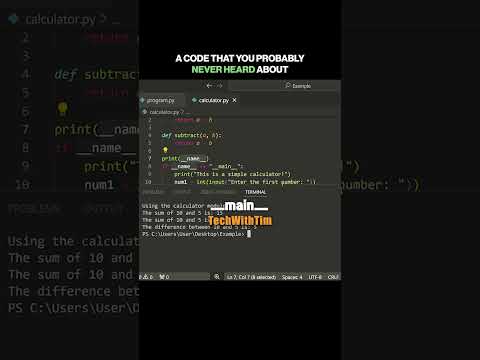
Have you heard about this code?
WatchTech With Tim // 1:15

I'm Tim, a self-taught developer & entrepreneur who brings you educational tech content without the fluff and noise. I went from a broke dropout working at McDonalds to making $100k+/month as a developer, travelling the world and moving to Dubai all before the age of 22. I've since helped thousands of aspiring developers land their first software engineering role and assisted mid-level devs land jobs at companies like google.