Wren builds 3D printed forced perspective diorama for Weta Workshop founder
Overview: Engineering the Fellowship's Optical Illusion
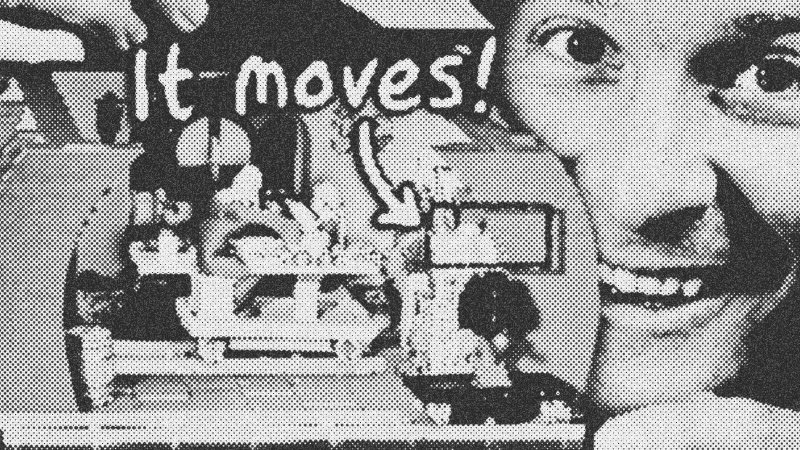
This project bridges the gap between digital asset creation and physical engineering. We are recreating the famous The Lord of the Rings forced perspective technique, specifically the moving camera parallax used for Gandalf and Bilbo in Bag End. The goal is a fully functional, 3D-printable model kit that requires zero supports, no glue, and no extra tools, while maintaining cinematic accuracy.
Prerequisites: The Maker's Toolkit
Before diving into the print files, you should understand:
- FDM Printing Basics: Knowledge of layer heights, bed adhesion, and bridging.
- CAD for 3D Printing: Understanding how to design with printability in mind (avoiding 90-degree overhangs).
- Slicer Software: Familiarity with Bambu Studio or equivalent for multi-material mapping.
Key Libraries & Tools
- Bambu Lab A1 Mini: The entry-grade workhorse for testing small components.
- Bambu Lab X2D: A dual-nozzle printer used for complex support material integration.
- Bambu Lab H2C: The "Perfect Grade" printer featuring a six-nozzle hot-end magazine for zero-waste multi-color printing.
- MakerWorld: The platform hosting the open-source files for public download.
- AMS (Automatic Material System): The hardware used to map hex codes from Blender to physical filament spools.
Code Walkthrough: Designing Out the Gravity Problem
To achieve a support-free print, we must refactor the geometry of the characters to be self-supporting. This is the 3D equivalent of writing clean, dependency-free code.
Section 1: Character Geometry Refactoring
# Conceptual logic for removing overhangs
def optimize_mesh_for_printing(mesh_part):
    if mesh_part == "Gandalf_Sleeve":
        # Original geometry had a 90-degree 'wizard sleeve'
        # We sculpt it into a self-supporting arch
        mesh_part.sculpt_arch(angle=45)
        mesh_part.dip_into(anchor_point="Bowl_Asset")
    elif mesh_part == "Bilbo_Kettle":
        # Link assets to create mutual support
        mesh_part.add_contact_point(bilbo_hand_left)
    return mesh_part
By dipping Gandalf's sleeve into a bowl asset and posing Bilbo so his hands support the kettle, we create a bridge. This allows the printer to extrude plastic in mid-air between two points without it sagging.
Section 2: Parallax Mechanism Logic
To maintain the illusion, the camera and the 'large' character must remain parallel while moving at different speeds along a fulcrum.
// Parallax lever logic
const fulcrum = { x: pivot_point, y: 0 };
function calculateParallaxPosition(input_movement) {
    return {
        camera_pos: input_movement * lever_arm_long,
        wizard_pos: input_movement * -lever_arm_short,
        rotation: 0 // Linear bearings must prevent spinning
    };
}
We solved the spinning wizard bug by implementing dual linear bearings using PTFE tubes, ensuring the wizard stays parallel to the lens.
Syntax Notes: The 3D Printing Language
- Bridging: The act of printing a horizontal line of filament across a gap. It requires precise cooling and speed.
- Friction Fit: Designing tolerances so parts snap together without adhesive.
- Poop: The purged filament during color changes. We minimized this by using the Bambu Lab H2C tool-changer, which swaps hot ends instead of purging.
Practical Examples
This technique isn't just for dioramas. You can apply these principles to Practical VFX on a larger scale, such as building motion-controlled camera rigs or creating custom phone mounts that use MagSafe for modular hardware attachment.
Tips & Gotchas
- Magnet Polarity: It is incredibly easy to glue magnets in backward. We solved this by adding color-coded recesses (Pink for South, Blue for North) in the print file.
- PTFE Cutting: Use the built-in guide on the phone mount to ensure your linear bearings are the exact length required for smooth movement.
- Adam Savage
- 6%· people
- Bambu Lab
- 6%· companies
- Bambu Lab A1 Mini
- 6%· products
- Bambu Lab H2C
- 6%· products
- Bambu Lab X2D
- 6%· products
- Other topics
- 69%
I Made This For You...
WatchCorridor Crew // 20:07
