Efficient Version Control: Mastering Git Branches with FastAPI
Overview
Managing source code effectively is the difference between a streamlined release and a chaotic debugging session. This guide explores the mechanical and strategic nuances of Git branching. By using a FastAPI web application as a concrete example, we demonstrate how to isolate new features, maintain a clean history, and choose between different integration strategies like merging and rebasing. Understanding these patterns allows you to collaborate without stepping on your teammates' toes.
Prerequisites
To follow this tutorial, you should have a baseline understanding of Python syntax and the basic concept of version control. You will need a terminal environment, Git installed, and a package manager like UV or pip. Familiarity with basic HTTP methods (GET) and unit testing with Pytest is also beneficial.
Key Libraries & Tools
- FastAPI: A modern, fast (high-performance) web framework for building APIs with Python.
- GitKraken: A visual Git client that simplifies branch management and history visualization.
- UV: An extremely fast Python package installer and resolver.
- Pytest: A framework that makes it easy to write small, readable tests.
Code Walkthrough
Initializing the API
We start by defining a simple root endpoint. This serves as our stable baseline on the main branch.
from fastapi import FastAPI

app = FastAPI()

@app.get("/")
def read_root():
    return {"Hello": "World"}
Isolating Features via Branches
Instead of modifying main directly, create a feature branch. This keeps the production-ready code clean while you experiment. We add a new goodbye endpoint and a corresponding unit test to verify it works.
@app.get("/goodbye")
def say_goodbye(name: str = "World"):
    return {"message": f"Goodbye {name}"}
Merging vs. Rebasing
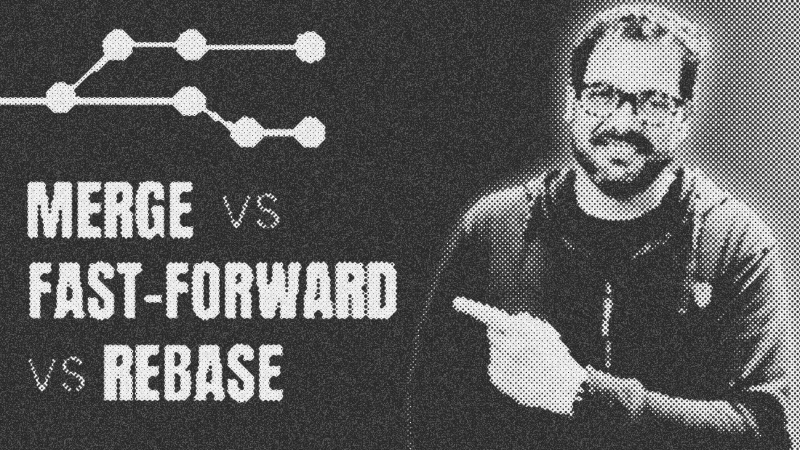
When it is time to bring changes back to main, you face a choice. A Standard Merge creates a new commit that ties the two histories together. This preserves the exact context of when a feature was developed but can lead to a "spaghetti" visual history.
Rebasing offers a cleaner alternative. It takes your feature commits, sets them aside, moves your branch to the tip of the current main, and then reapplies your work on top. This results in a perfectly linear history. If main hasn't changed since you branched, Git performs a Fast-Forward, simply moving the branch pointer forward without creating a new commit at all.
Syntax Notes
- Feature Flags: When using Trunk-Based Development, use boolean constants to toggle code paths. This allows you to merge unfinished code safely.
- Naming Conventions: In GitFlow, prefix branches with
feature/orhotfix/to organize the repository automatically.
Practical Examples
Real-world teams often use GitFlow for structured releases where separate develop and main branches exist. Alternatively, fast-moving startups might prefer Trunk-Based Development, pushing directly to main while hiding incomplete features behind logic toggles to avoid long-lived branch conflicts.
Tips & Gotchas
- Rewrite History with Caution: Never rebase a branch that others are also working on. It changes commit hashes and will break their local environments.
- Small Commits: Commit early and often. Smaller commits make resolving merge conflicts significantly easier.
- Test Before Integration: Always run Pytest on your feature branch before merging to ensure you aren't introducing regressions.
- Git
- 18%· products
- Pytest
- 18%· products
- FastAPI
- 12%· products
- GitFlow
- 12%· concepts
- Trunk-Based Development
- 12%· concepts
- Other topics
- 29%
How to Use Git Branches Like a Pro (FastAPI Example)
WatchArjanCodes // 19:00

On this channel, I post videos about programming and software design to help you take your coding skills to the next level. I'm an entrepreneur and a university lecturer in computer science, with more than 20 years of experience in software development and design. If you're a software developer and you want to improve your development skills, and learn more about programming in general, make sure to subscribe for helpful videos. I post a video here every Friday. If you have any suggestion for a topic you'd like me to cover, just leave a comment on any of my videos and I'll take it under consideration. Thanks for watching!