Refactoring Python Shells: From Clunky Classes to Clean Functions
Overview
Building a custom command-line interface (CLI) is a classic rite of passage for software developers. However, without a disciplined approach to structure, these applications quickly devolve into a "spaghetti" of hard-coded strings, confusing class hierarchies, and fragile error handling. This tutorial focuses on the fundamental principles of refactoring a Python-based shell application. We shift away from unnecessary object-oriented overhead and toward a modular, function-driven architecture. By the end of this guide, you will understand how to simplify data structures, enforce consistent naming conventions, and utilize Python's type system to create more maintainable tools.
Prerequisites
To get the most out of this tutorial, you should be comfortable with Python basics, including functions and loops. Familiarity with the following concepts is recommended:
- Basic command-line usage.
- Python data structures (lists, dictionaries, and tuples).
- Type hinting basics.
- Understanding of common PEP 8 naming conventions.
Key Libraries & Tools
- Python: The core programming language used for the shell and logic.
- Black: An uncompromising code formatter that ensures your code remains PEP 8 compliant without manual effort.
- Poetry: A dependency management and packaging tool used to handle virtual environments and
pyproject.tomlfiles. - Visual Studio Code: The IDE used for the refactoring process, utilizing the Pylance extension for type checking.
Code Walkthrough
1. Simplifying the Data Model
The original code used a complex Python structure for commands that added more overhead than value. In a shell, a command is essentially a prompt followed by a list of arguments. We can simplify this using a type alias and a Python.
from typing import Tuple, List

# Define a simple type for commands: (command_name, [arguments])
Command = Tuple[str, List[str]]
2. Streamlining Input Parsing
Parsing user input often involves messy string slicing. A cleaner approach uses the .split() method combined with list comprehension to ensure every argument is stripped of whitespace and normalized to lowercase.
def parse_command_string(user_input: str) -> Command:
    parts = user_input.split()
    if not parts:
        return "", []

    command = parts[0].lower().strip()
    args = [p.strip() for p in parts[1:]]
    return command, args
3. Dispatching Commands via Dictionaries
Instead of a massive if-elif-else block or a rigid class, we use a dictionary to map command strings to their respective functions. This makes the shell easily extensible—adding a new command is as simple as adding a key-value pair.
def help_shell(args: List[str]) -> None:
    print("Available commands: hash, encode, decode, exit")

def exit_shell(args: List[str]) -> None:
    print("Exiting...")
    exit()

COMMANDS = {
    "help": help_shell,
    "exit": exit_shell
}

def execute_command(command: str, args: List[str]):
    if command in COMMANDS:
        COMMANDS[command](args)
    else:
        print(f"Unknown command: {command}")
Syntax Notes
One of the biggest hurdles in Python development is inconsistent naming. Always adhere to snake_case for variables and functions. Avoid camelCase or the dreaded "camel_snake_case" (e.g., Shell_Input). Constants should be written in UPPER_SNAKE_CASE. Additionally, favor explicit imports over from module import *. The latter clutters your namespace and makes it nearly impossible for IDEs to provide accurate type hinting and autocomplete.
Practical Examples
This refactoring technique is ideal for building developer tools, such as:
- Custom Database Migrators: Where you need a simple shell to run specific migration scripts.
- API Testing Utilities: To quickly encode/decode payloads or trigger specific endpoints.
- Local File Managers: Automating repetitive file system tasks through a simplified interface.
Tips & Gotchas
- Auto-Formatters: Don't waste time manual spacing. Use Black. It forces a standard style that makes code reviews significantly faster.
- Return Type Consistency: Avoid functions that return different types (like a
Commandobject or abool). This forces the caller to write "isinstance" checks everywhere. Instead, return a default state (like an empty command). - Documentation Separation: Keep your help strings separate from your logic. If you ever want to support multiple languages (i18n), you'll want your text in a JSON file, not buried inside a dictionary of functions.
- Python
- 50%· products
- Black
- 25%· products
- Poetry
- 13%· products
- Visual Studio Code
- 13%· products
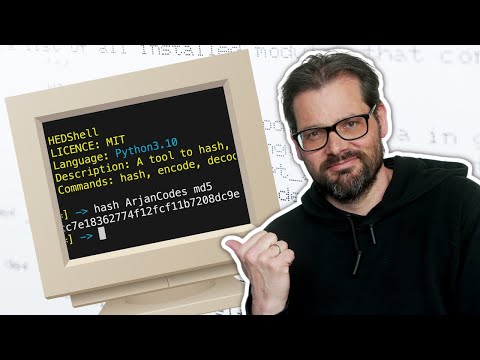
Refactoring a Command Line Shell | Code Roast Part 1
WatchArjanCodes // 26:21

On this channel, I post videos about programming and software design to help you take your coding skills to the next level. I'm an entrepreneur and a university lecturer in computer science, with more than 20 years of experience in software development and design. If you're a software developer and you want to improve your development skills, and learn more about programming in general, make sure to subscribe for helpful videos. I post a video here every Friday. If you have any suggestion for a topic you'd like me to cover, just leave a comment on any of my videos and I'll take it under consideration. Thanks for watching!