Building Robust LLM Applications with LangChain and Python
Overview of LangChain Capability
LangChain serves as a powerful abstraction layer for developers building applications powered by Large Language Models (LLMs). Instead of writing brittle, manual API calls to providers like OpenAI, you can use this library to manage complex interactions. It solves the problem of "spaghetti prompts" by providing structured ways to handle templates, output parsing, and external API integration. Whether you are building a simple chatbot or a complex data-extraction tool, LangChain provides the scaffolding needed to keep your code maintainable and scalable.
Prerequisites and Environment Setup
To follow this guide, you should have a solid grasp of Python and basic asynchronous programming concepts. You will also need an API key from a provider like OpenAI. I recommend using a .env file to store your credentials securely rather than hard-coding them into your scripts. This practice prevents accidental leaks and makes it easier to manage different environments.
Key Libraries & Tools
- LangChain: The core framework for orchestrating LLM workflows.
- OpenAI API: The underlying intelligence provider for models like GPT-3.5 and GPT-4.
- Pydantic: A data validation library used here to define structured schemas for LLM outputs.
- Dotenv: A utility to load environment variables from a
.envfile.
Implementing Structured Outputs
One of the most powerful features I want to highlight is the combination of LangChain with Pydantic. Raw text responses from an LLM are often difficult to use in a programmatic way. By using a PydanticOutputParser, we can force the model to return data that conforms to a specific Python class.
from langchain.output_parsers import PydanticOutputParser
from pydantic import BaseModel, Field

class Country(BaseModel):
    name: str = Field(description="Name of the country")
    capital: str = Field(description="Capital city")

parser = PydanticOutputParser(pydantic_object=Country)
In this snippet, we define exactly what we expect back. When you pass parser.get_format_instructions() into your prompt, the LLM receives specific guidance on how to format its response as JSON. After the model responds, parser.parse(response.content) turns that raw string into a first-class Python object. This means you can access data.capital directly with full IDE autocomplete support.
Lessons in Software Design
LangChain’s architecture is a masterclass in applying classic design patterns to modern problems. You can see the Strategy Pattern in how different LLMs or Parsers can be swapped out without changing the core logic. There are also echoes of the Bridge Pattern, separating the abstraction of a "Language Model" from the specific implementation details of various providers.
Focus on defining your concepts well—prompts, models, and parsers—rather than just hacking together a script. When you define these boundaries clearly, your application becomes significantly easier to test and extend. Don't worry about following patterns to the letter; prioritize principles like low coupling and high cohesion to build better software.
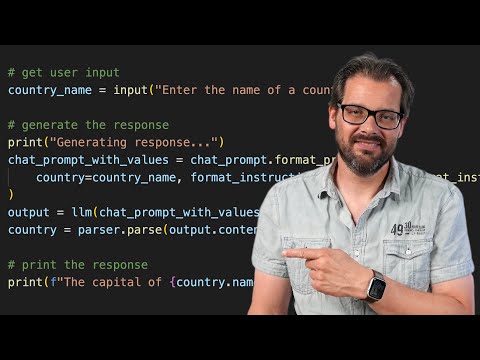
LangChain is AMAZING | Quick Python Tutorial
WatchArjanCodes // 17:42

On this channel, I post videos about programming and software design to help you take your coding skills to the next level. I'm an entrepreneur and a university lecturer in computer science, with more than 20 years of experience in software development and design. If you're a software developer and you want to improve your development skills, and learn more about programming in general, make sure to subscribe for helpful videos. I post a video here every Friday. If you have any suggestion for a topic you'd like me to cover, just leave a comment on any of my videos and I'll take it under consideration. Thanks for watching!